


Finding the best budget gaming mouse is easier today because brands offer strong sensors, better shapes, and reliable wireless options at low prices. You do not need a premium model to play well. What you need is a mouse that feels right in the hand, tracks consistently, and matches your gaming style. This guide breaks everything down in a simple, practical way so you know exactly what to pick without wasting money.
Most recommendations and explanations here follow what reviewers on RTINGS and Tom’s Hardware usually focus on. Things like sensor performance, build, weight, and shape make a bigger impact than RGB or extreme DPI numbers. If you understand these basics, you can confidently choose the best budget gaming mouse for your setup.
A well designed low cost mouse can perform better than an expensive office mouse because gaming mice are built for speed, control, and accuracy. Even a cheap mouse can give you better click response, smoother tracking, and a more comfortable grip. For most players, this is more important than paying for extra features you may never use.
If you mainly play FPS titles, you need reliable tracking so your aim stays steady. If you play MOBAs or RPGs, extra buttons help with abilities and shortcuts. A budget gaming mouse with good sensor covers these needs easily. The key is choosing one that has the right shape and sensitivity for you.
Must Read: Your Ultimate Guide to Buy Gaming Accessories
Before buying anything, look at the essentials. These points matter far more than flashy features.
A budget gaming mouse with good sensor gives you consistent tracking. It reads small hand movements correctly and avoids jitter or spin outs. Modern budget sensors from Logitech, Razer, and other reputable brands perform well within normal DPI ranges. You do not need very high DPI. Accuracy is more important than numbers.
Good examples include optical sensors that stay stable on different mousepads. If you switch between low sensitivity for aim and higher sensitivity for browsing, make sure the DPI steps are adjustable. This feature is almost always available today, even in a cheap mouse.
Your grip style decides what shape you need. Palm grip users prefer larger rounded bodies. Claw grip users like slightly taller backs. Fingertip grip players prefer smaller and lighter mice.
Lightweight mice help with flick shots and fast movements. Heavier models can feel steadier for long strategy sessions. Most people prefer something between 60 grams and 90 grams. Skates or feet should glide smoothly on your mousepad. Even a cheap mouse should not drag or feel rough.
An affordable wireless gaming mouse is a solid option today because latency on modern wireless models is close to wired. If you prefer a clean desk or move around a lot, wireless is worth it. If you want the simplest setup with no charging, wired is fine.
You do not need complicated software, but basic customization helps. Look for at least two side buttons that you can map to game actions. DPI buttons on top also help you switch settings quickly.
If you want the best budget gaming mouse, focus on how you actually use it. Think about the types of games you play, your hand size, and whether you want wired or wireless.
You will benefit most from a budget gaming mouse with good sensor that tracks fast flicks correctly. Lightweight models with clean shapes work well here. Aim stability matters more than RGB or extra buttons.
You may want extra buttons for skills or macros. Comfort also matters because sessions can be long. A mouse with balanced weight and a relaxed grip shape helps you stay comfortable.
If you split time between gaming, browsing, and school work, an affordable wireless gaming mouse is convenient. Many budget wireless models now offer long battery life and strong connections.
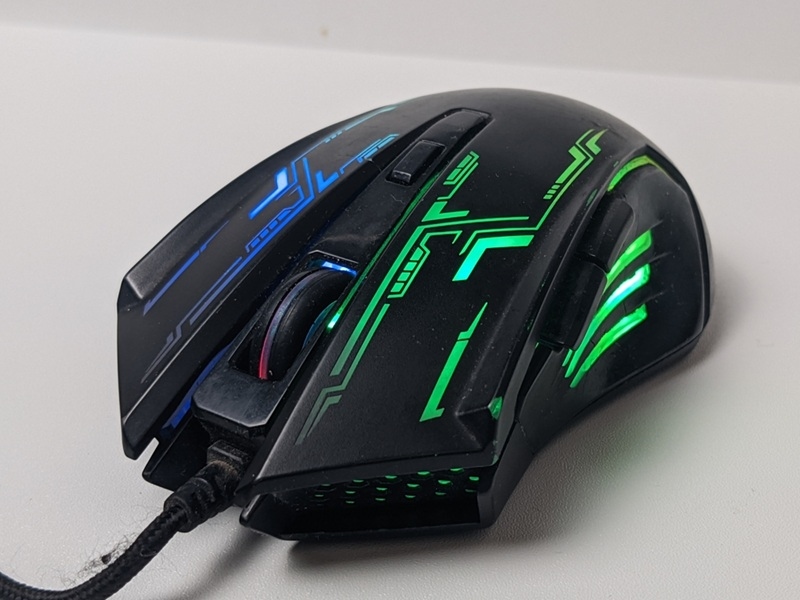
This is one of your required keywords and it fits well as a guide section. Here is what separates a useful budget mouse from a poor one.
When people ask what to look for in a cheap gaming mouse, these points cover everything you should check before buying.
This list follows common feedback from reviewers and user experiences. Prices vary, so always pick what matches your budget and grip style.
A strong affordable wireless gaming mouse with reliable tracking and long battery life. The shape fits most hand sizes and the sensor performance is far better than typical office wireless models. The G305 appears often in best value lists because the performance is steady and the price stays low.
Good if you want a more ergonomic body. The shape supports palm grip and the sensor is accurate for the price. This model is a good example of how an affordable wireless gaming mouse can still feel premium.
One of the most common picks for people searching for the best budget gaming mouse. It has a simple shape, a responsive sensor, and consistent clicks. If you prefer wired and want a reliable feel, the G203 fits almost anyone.
Works well for beginners who want a cheap mouse that still feels built for gaming. It has solid tracking and a safe shape that suits many players.
A popular choice for users who want more features like RGB and extra buttons without spending much. The tracking is dependable enough for casual FPS and everyday gaming.
Explore More: Top Benefits of Mechanical Keyboard Gaming for Players
The best budget gaming mouse is the one that feels comfortable, tracks well, and fits your gaming style. You do not need extreme DPI or showy features. A solid sensor and a shape that suits your grip will improve your gameplay more than anything else.
Whether you pick a wired option or an affordable wireless gaming mouse, make sure it matches how you play. If you understand what to look for in a cheap gaming mouse, you will never overspend again. Modern budget mice are strong enough for FPS, MOBA, RPG, and everyday use. With the right choice, you can upgrade your setup without going beyond your budget.
Some of the frequently asked questions are:
Yes. Many budget gaming mice have strong sensors and low latency. As long as the tracking is stable, a cheap mouse can perform well in FPS games.
Both work well. Wired gives a simple plug and play setup. An affordable wireless gaming mouse is great if you want a clean desk and fast movement.
Not always. Sensor accuracy and comfort matter more than very high DPI. Even mid range DPI can offer smooth and consistent control.
This content was created by AI