

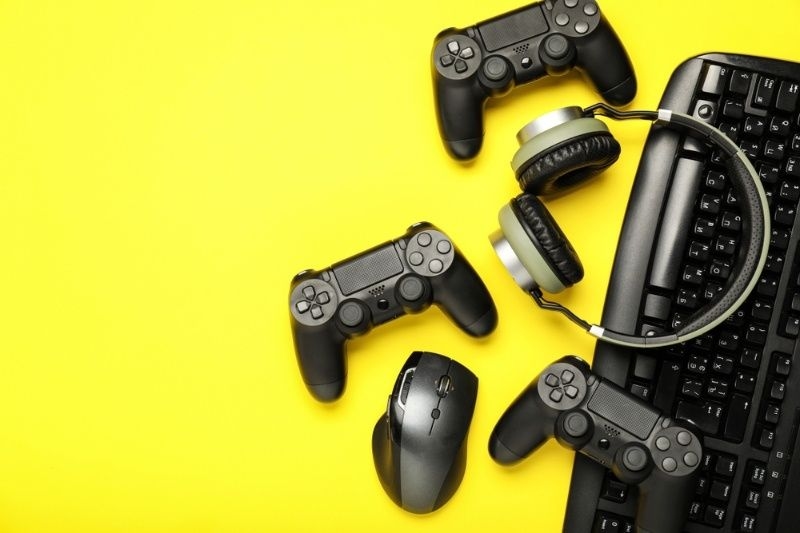
Gaming setups used to be simple. A screen, a keyboard, maybe a mouse. That’s it. Not anymore. Performance now sits in the small details — the things people ignore at first. Accessories don’t just decorate a desk; they change how you react, how fast you move, and how long you last without fatigue. Some upgrades feel instant; others creep in slowly but matter just as much. The tricky part is knowing what actually helps versus what just looks good. There’s noise everywhere. In this blog, we'll discuss the best gaming accessories to improve your setup.
Performance is not just hardware power. It’s control, comfort, and response time—all tied to gaming accessories. Small tweaks, big gains. A cheap mouse with lag ruins aim. A bad chair ruins focus. Simple.
Mouse and keyboard sit at the core. Yet people settle for average. A gaming mouse with adjustable DPI gives control—fast flicks or slow precision. Mechanical keyboards respond quicker, plus tactile feedback helps with timing. Not huge on paper, but in-game, you feel it.
Some prefer lightweight mice. Others have heavier builds. No rule here.
Sound is half the game. Maybe more. Headsets with surround sound let you hear footsteps before you see anything. That one-second difference — it wins rounds. Or saves you. Avoid flashy branding; focus on clarity instead.
Refresh rate. Response time. That’s it. 144Hz or higher feels smoother instantly. Less blur, better tracking. Pair that with a low response time—things just feel tighter. You don’t go back after this.
Not everything labeled “best” is useful. Some are hype. Some are real.
Often ignored. Big mistake. A good mouse pad improves glide, reduces friction, and stabilizes movement. Cloth for control, hard surface for speed. Choose based on playstyle. Cheap pads wear out fast—uneven surfaces and inconsistent tracking.
Long sessions hurt. Slowly at first, then suddenly. A proper gaming chair supports posture. Wrist rests reduce strain — especially for keyboard-heavy games. You don’t notice comfort until it’s gone.
Messy cables distract. Also, restrict movement. Simple clips, sleeves, and mounts clean space and improve flow. Small upgrade, surprisingly effective, especially during long gaming sessions.
Comfort is underrated. But it directly affects performance.
RGB isn’t just aesthetic. Well, mostly it is. But lighting behind the monitor reduces eye strain in dark rooms. Bias lighting works. Soft, indirect glow—helps reduce contrast and eye fatigue.
Space matters. Too cramped — you lose movement. Too wide — you overreach. Balance it. Keep essentials within natural reach. Everything else, move it away—it reduces distractions and improves overall focus.
Height adjustment matters more than expected. A monitor too low strains your neck. Too serious — same problem. Adjustable arms fix this. Clean look too, but that’s secondary.
Some accessories directly impact system performance. Not just comfort.
Heat kills performance. Literally, extra case fans, cooling pads, and improved airflow prevent thermal throttling. Your system stays consistent under load. Quiet cooling is better. Noise breaks focus.
Games are heavy now. Storage fills fast, especially with modern high-end titles. External SSDs offer quick load times, easy transfers, and smooth performance boosts. Useful if internal space is limited or already crowded. Not flashy, but practical and reliable for daily use.
Power cuts happen. Especially mid-game—worst timing. UPS systems protect your setup. Also, it gives you time to save or exit safely. Underrated. Until you lose progress once.
Your desk is your battlefield. Every inch counts. Clutter slows you down; clean space keeps your moves sharp.
Some things move from optional to essential once you level up.
Some accessories are small but impactful:
Nothing fancy. Still useful. Small upgrades, quiet gains — but you feel them over time.
Gaming setups evolve slowly. One upgrade at a time, sometimes barely noticeable, then suddenly everything feels better. That’s how it works. Accessories don’t scream for attention, yet they shape performance quietly. Ignore them, and you hit limits early. Choose well, and things feel smoother, tighter, and more controlled. Not perfect, never perfect — but better. Always a little better.
There’s no fixed number. Start with essentials—mouse, keyboard, headset. Mid-range works fine. Spend more only where you feel a limitation. Expensive doesn’t always mean better.
Modern wireless gear is solid. Latency is minimal in good brands. Unless you’re at a very competitive level, you won’t notice much difference. Convenience often wins here.
Not often. Upgrade when performance drops, or comfort suffers. A good accessory lasts for years. Avoid upgrading just for trends or looks — unless your needs clearly change.
Yes, in a roundabout way, they do help. Good input devices cut down on lag. Crisp audio lets you react faster. If you’re comfortable, you stay focused. It’s not a miracle fix, but over time, these little things make a real difference.
This content was created by AI